Intro to NRP
Overview
Teaching: min
Exercises: minQuestions
How do I get started with NRP?
Basic Kubernetes?
Objectives
What is NRP?
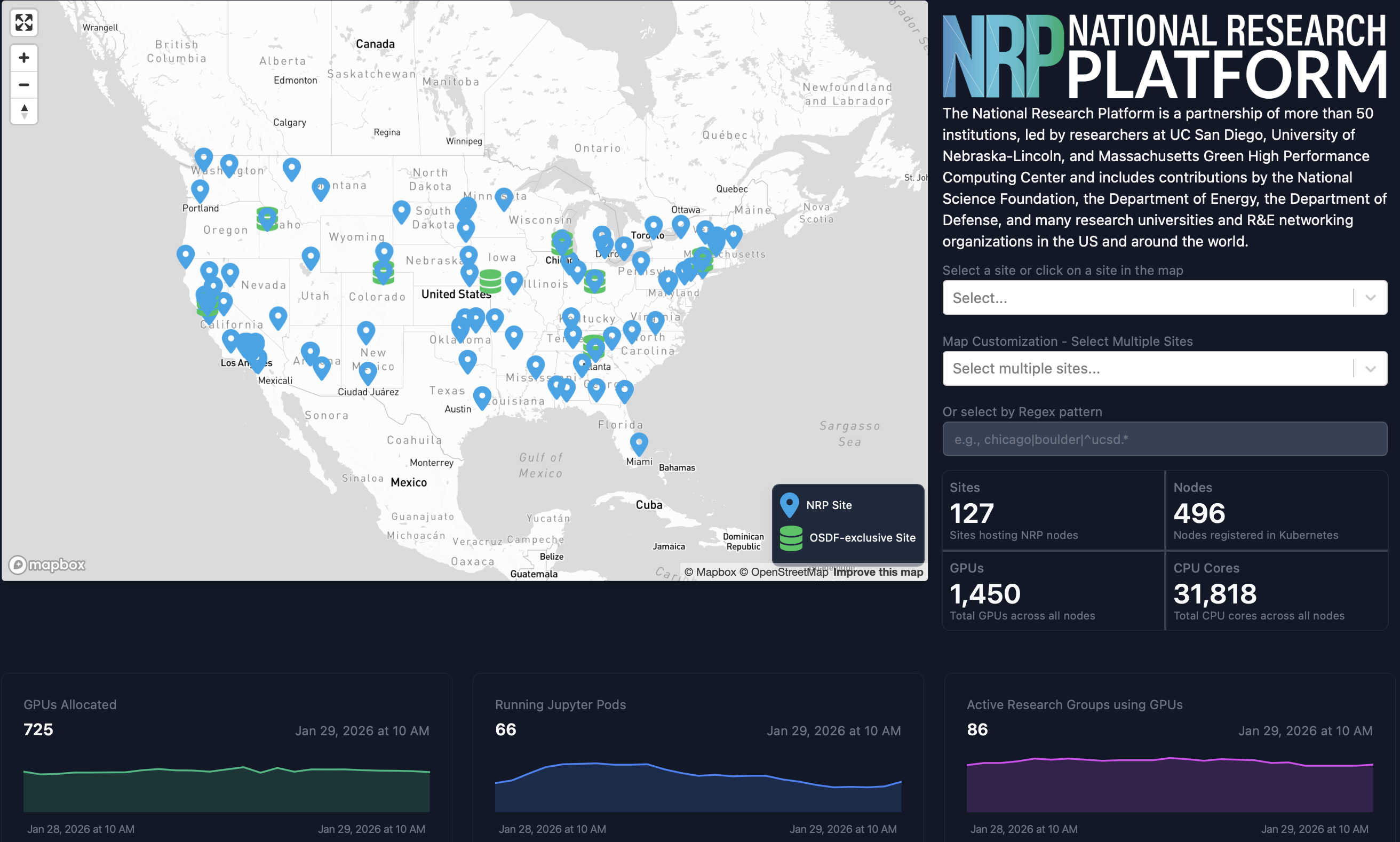
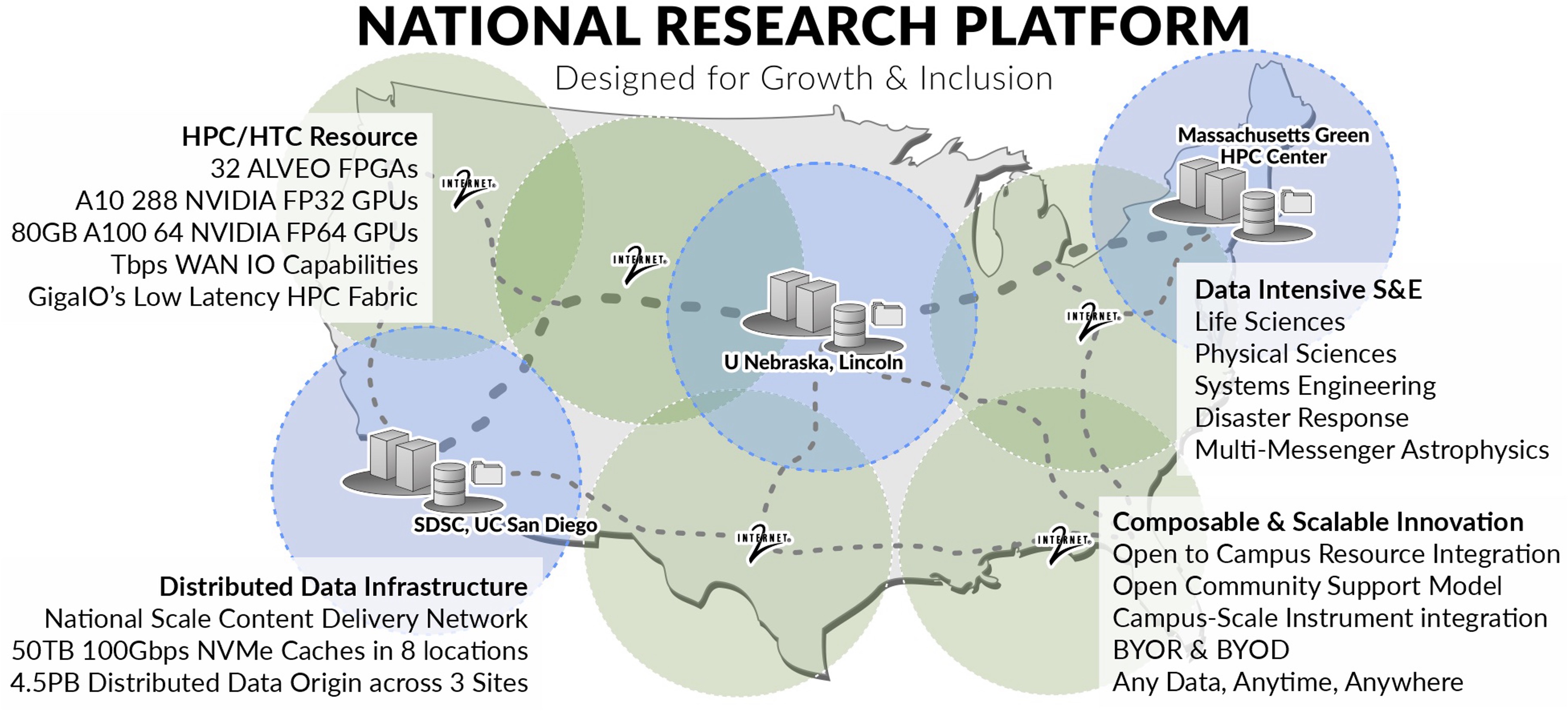
- The National Research Platform is a partnership of more than 70 institutions.
- Includes contributions by the National Science Foundation, the Department of Energy, the Department of Defense, and many research universities and R&E networking organizations in the US and around the world.
- NRP operates a primary Kubernetes distribution cluster with hardware spanning across 3 continents, called Nautilus.
-
NRP has been in continuous operation for 6 years.
- Led by researchers at UC San Diego, University of Nebraska-Lincoln, and MGHPCC.
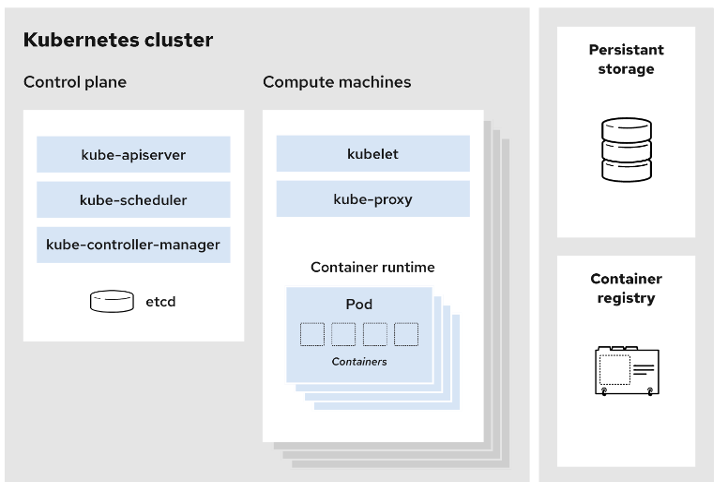
NRP is a Kubernetes Cluster
- Control plane: Manages the cluster and the worker nodes
- Worker Nodes: Maintain running pods and provide Kubernetes runtime environment
- Various storage options like CephFS; CvmFS; S3.
- Advanced monitoring tools like PerfSONAR; traceroute; Prometheus.
- Diverse computation and data tools: JupyterHub; WebODM; GitLab; Nextcloud; Overleaf.
- Collaboration and communication: Jitsi; EtherPad; Hedgedoc; SyncThing.
Hardware on NRP1
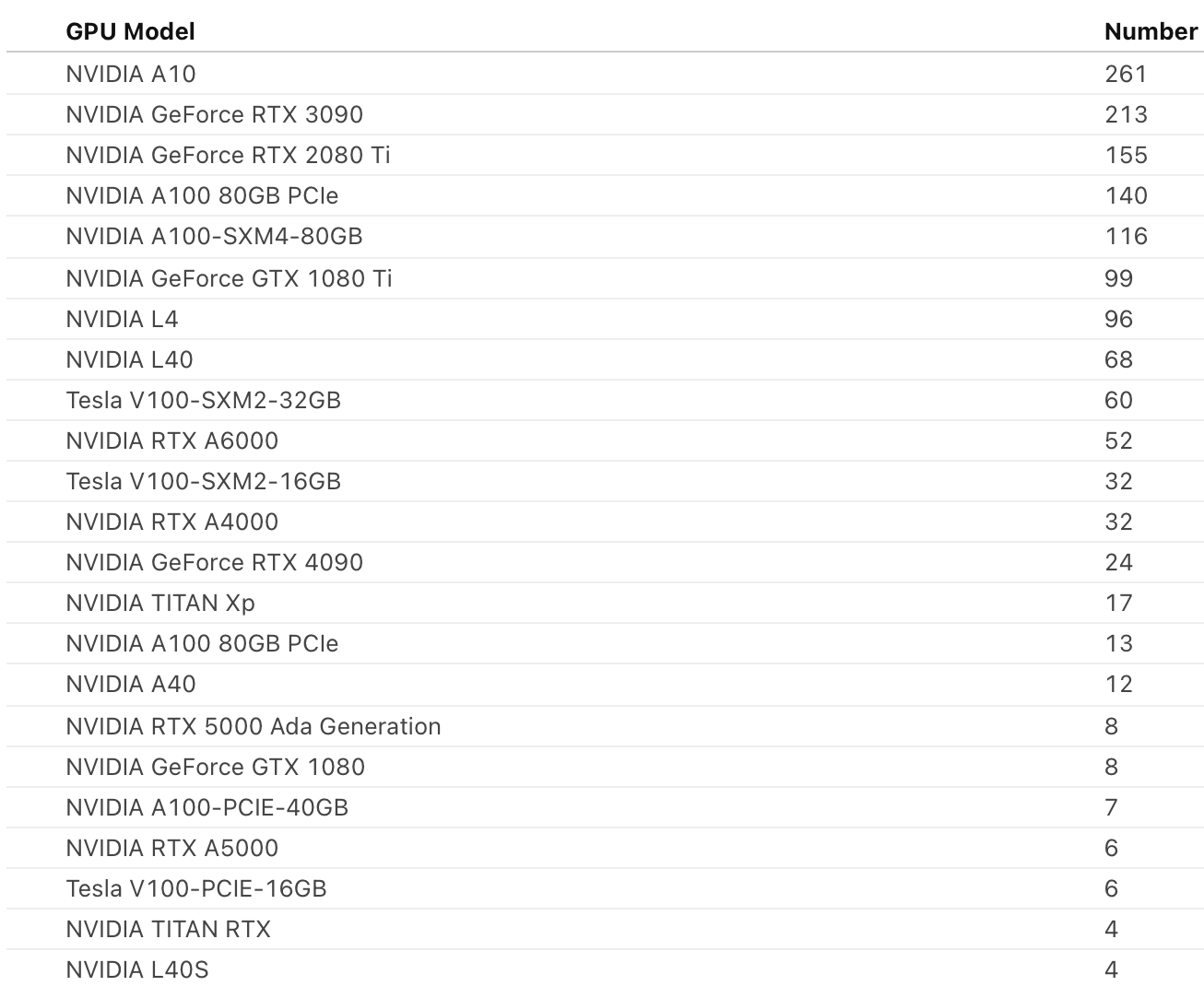
- 430+ nodes
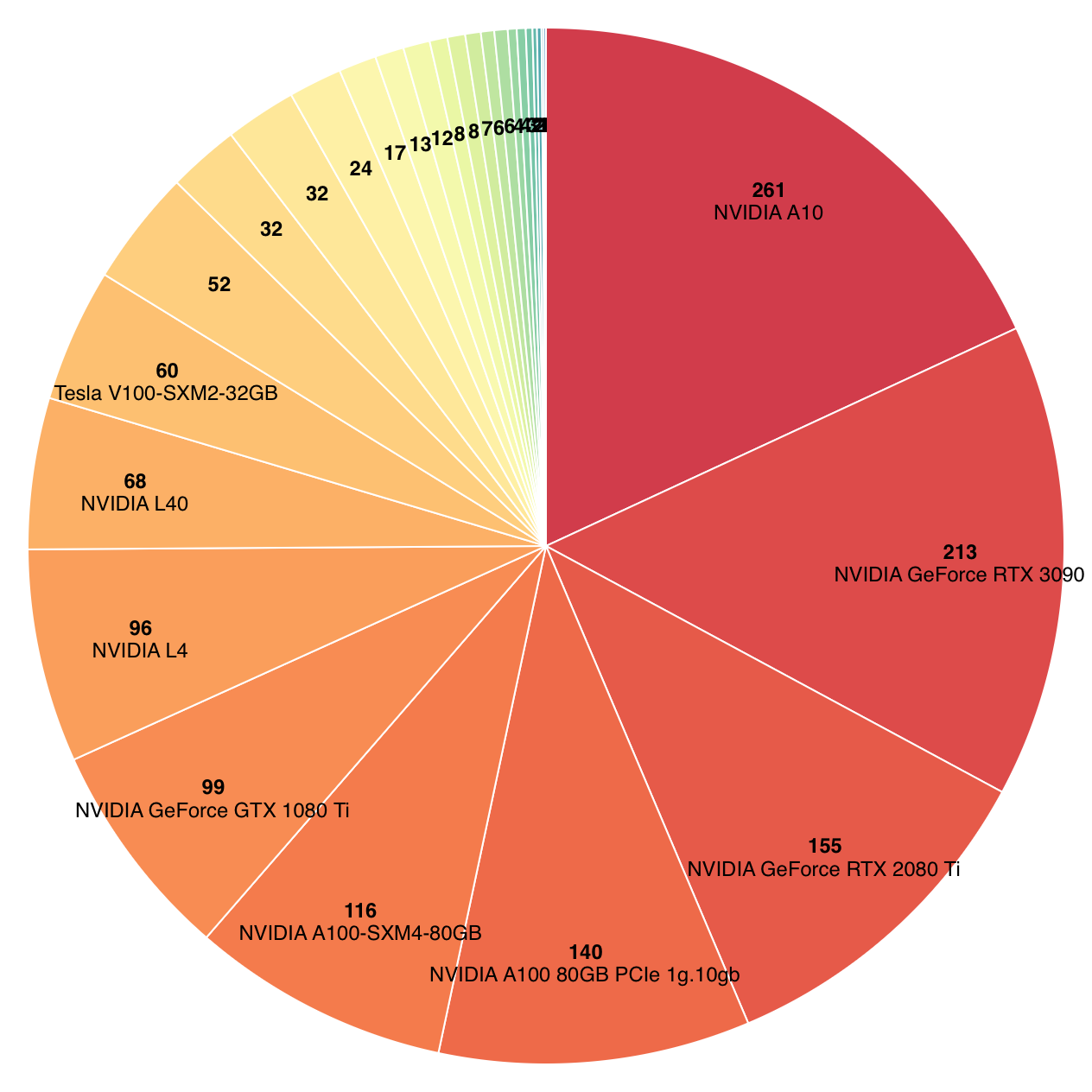
- 1400+ GPUs
- 50+ FPGAs
- Bluefield 2 SmartNICs
- SmartSSDs
- programmable Tofino switches
Storage Options on NRP
You will learn that Kubernetes runs your workload in objects called Pods, and that Pods are ephemeral by nature. To keep data beyond the lifetime of a Pod, Kubernetes provides persistent storage via PersistentVolume resources, which Pods mount using a PersistentVolumeClaim. NRP offers a variety of storage options to suit different workload and performance needs.

- Ceph File System ➡ Ceph FS ➡ ReadWriteMany PersistentVolumes
- Ceph Rados Block Device ➡ Ceph RBD ➡ ReadWriteOnly PersistentVolumes
- Linstor Block ➡ ReadWriteOnly PersistentVolumes
- S3 Compatible storage ➡ Bucket Endpoints
- Open Science Data Federation ➡ OSDF
How do I get started?
A full guide to getting started can be found in our documentation.
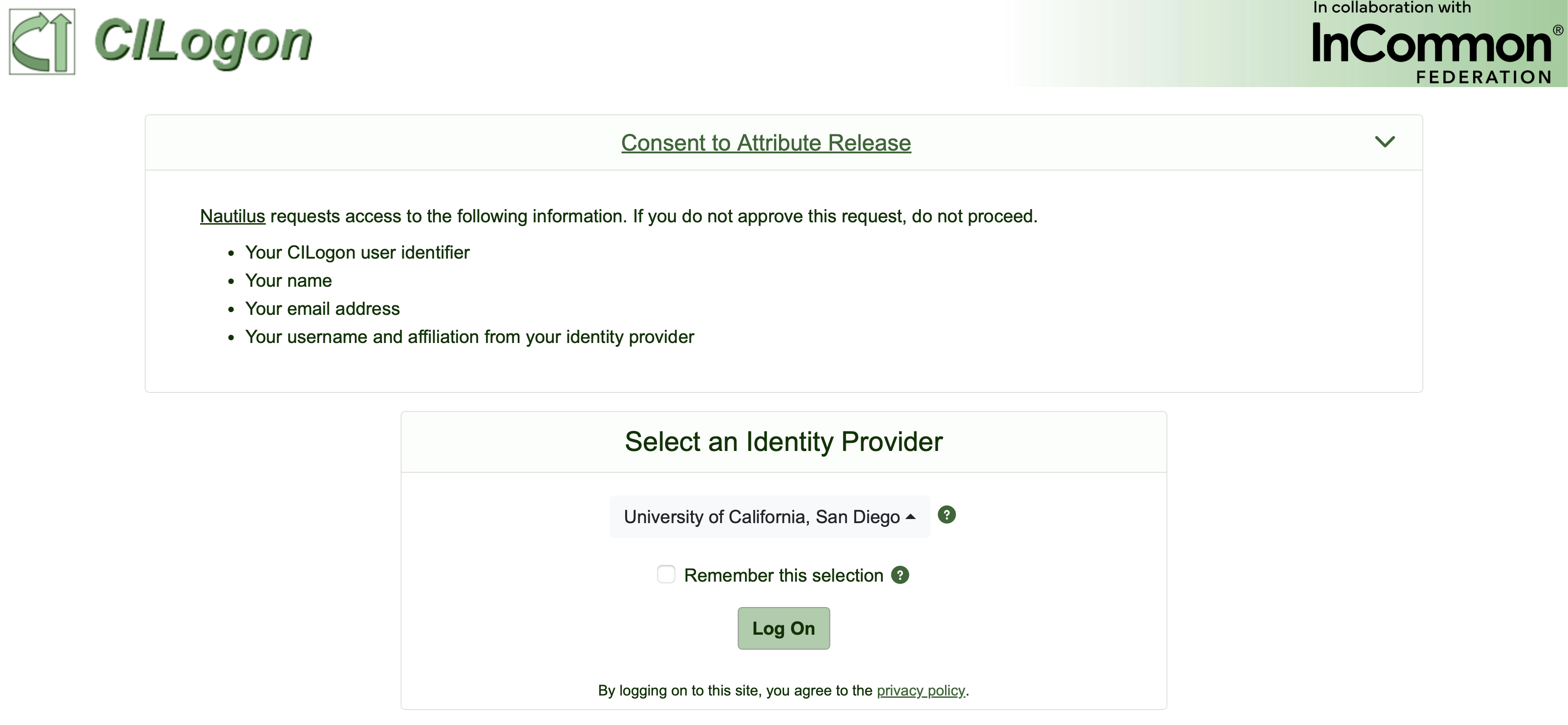
The first step is to visit nrp.ai and log in at the upper right-hand corner. This should open a CILogon sign-in page.
Choosing an Identity Provider
We recommend that you select your institution as the identity provider (IdP) in the CILogon page. Other options like google, Microsoft, and ORCID exist, but may face limitations on NRP If you used the wrong IdP and would like to change it, let NRP admins know and we can help.
Where should I ask for help?
The primary option for support is via our Matrix chat. Please use public channels when seeking support, this allows the whole NRP community to offer advice. NRP admins actively monitor and respond to the NRP Support channel in Matrix.
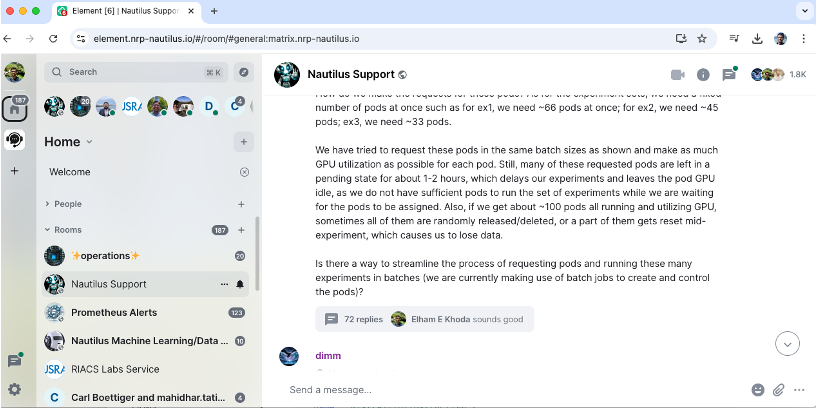
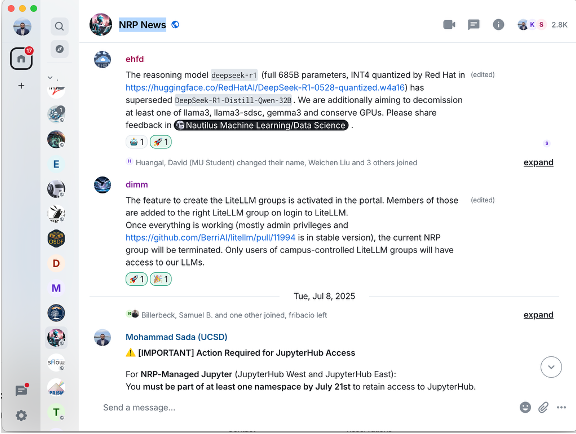
- NRP hosts a Matrix Server. For info about joining: https://nrp.ai/contact/
- We provide user support in Nautilus Support
- We announce news in NRP News
- Element Client is free cross-platform, we host a web version at: https://element.nrp-nautilus.io/
Cluster Policies
In order to access the cluser, every user must first accept the Acceptable Useage Polcy (AUP).
You can find our cluster usage policies in our docs:https://nrp.ai/documentation/userdocs/start/policies/.
The most important thing to keep in mind is that NRP is a shared resource. Do not request more resources than you need and do not hold resources longer than what is necessary for your work.
Let’s Get Started
In the next sections, we will cover interacting with the NRP user portal, how to set-up and manage namespaces on the cluster and how to interact with the cluster.
The majority of NRP users interact with the cluster using the following three methods.
- via Kubernetes: Directly submit and manage containerized workloads (services and batch jobs) using Kubernetes APIs and tools like
kubectl. - via the Coder service: Launch a browser-based VS Code environment connected to cluster resources for interactive development and execution.
- via NRP deployed Jupyterhub: Start a JupyterLab notebook server on the cluster for interactive analysis, prototyping, and teaching workflows.
In order to access any of these services, users must first be added as a member of a namespace.
-
As of Feb 2026 ↩
Namespace and User Management
Overview
Teaching: min
Exercises: minQuestions
How do I get started with NRP?
Basic Kubernetes?
Objectives
The Namespace portal
Within a kubernetes cluster, users are organized into groups called namespaces.
Within a namespace, members are oganized as either namespace users or namespace admins.
Admins are responsible for managing the and monitoring the namespace.
NRP provides a web portal for easy namespace management.
You can view all NRP namespace at https://nrp.ai/viz/namespaces/
The namespace portal allows namespace admins to:
- create new namespaces
- add or promote/demote users1 to their namespace
- delete their namespace.
You will see in https://nrp.ai/viz/namespaces/, that the namespace portal organizes NRP groups and namespace into one large tree, with the nrp group as the root. This is mostly for human readability purposes. The general grouping is as follows:
nrp  (root)
└── campus / organization
    └── PI group
        └── sub-projects
One important concept to keep in mind is that there is no such nesting for kubernetes, so it is important to make your namespace names unique.
What namespaces do I belong to?
When you log on and view the namespace portal, you will not see the full namespace tree as you did when viewing https://nrp.ai/viz/namespaces/. Instead, you will see your personal tree, showing all namespace you belong to and which groups they are a part of.
 You will notice some color-coding as well.
- Red denotes a group (organizational only, no kubernetes access)
- Blue denotes a kubernetes namespace
- Yellow denotes a group which has access to NRP’s LLMs
- Green denotes a kubernetes namespace that has access to NRP’s LLMs
Namespace Management
Prior to launching pods in your namespace, you must fill out some details on the portal. These include:
PInameGrantsrelevant to the projectDescriptionof the namespace- What
Institutionthe namespace is associated with - What
Softwarewill be used in the namespace - What
Publicationswere made using NRP resources within the namespace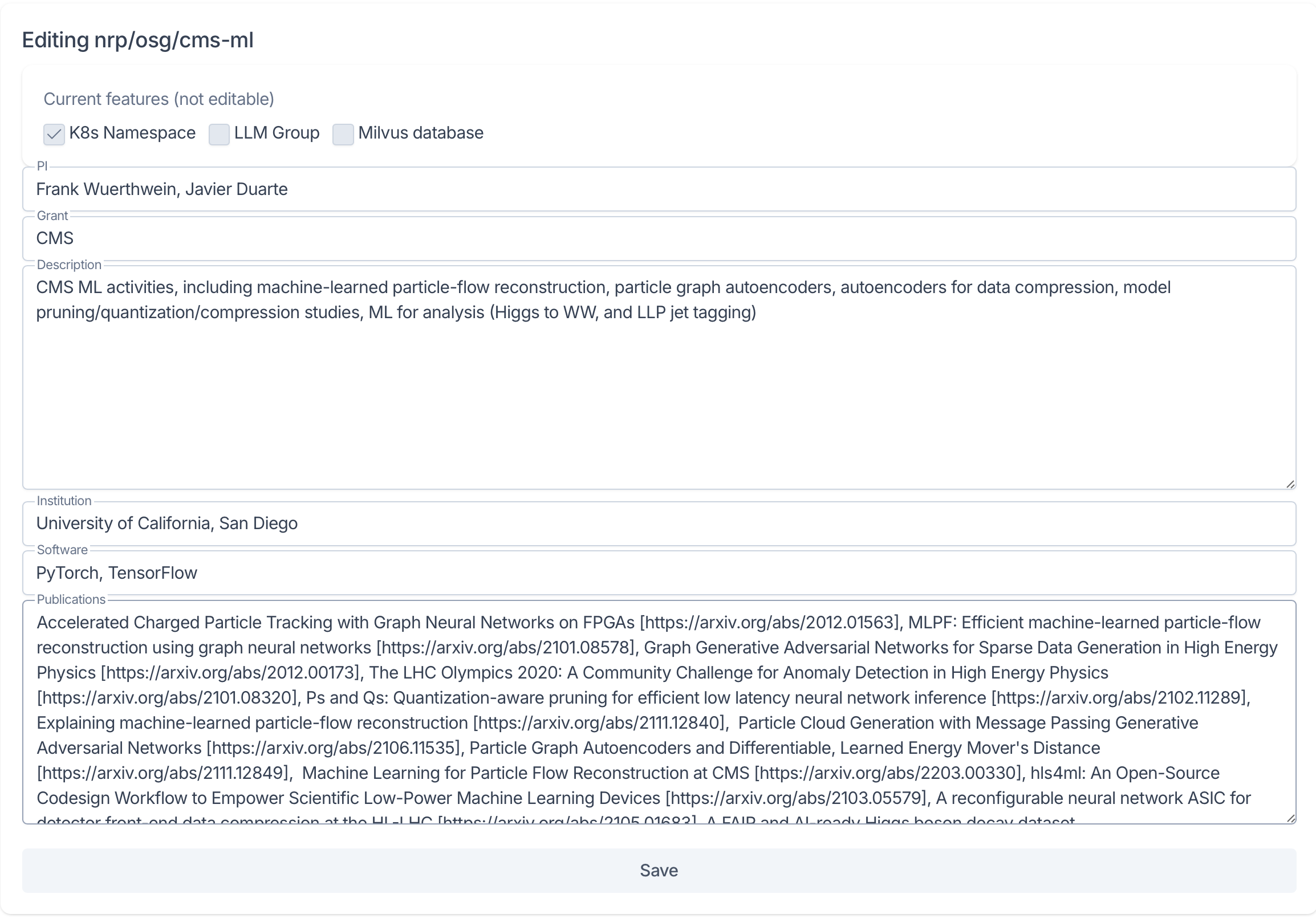 If any of these details are not yet decided, it is ok to use “N/A” or “Pending” for now, but please update these details as they change.
Managing Users
Namespace admins have the ability to both add and remove user from the namespace as well as to promote and demote users.
Under the Users section of the namespace portal, admin members can add new members by searching for users by name or email in the Add New User field.
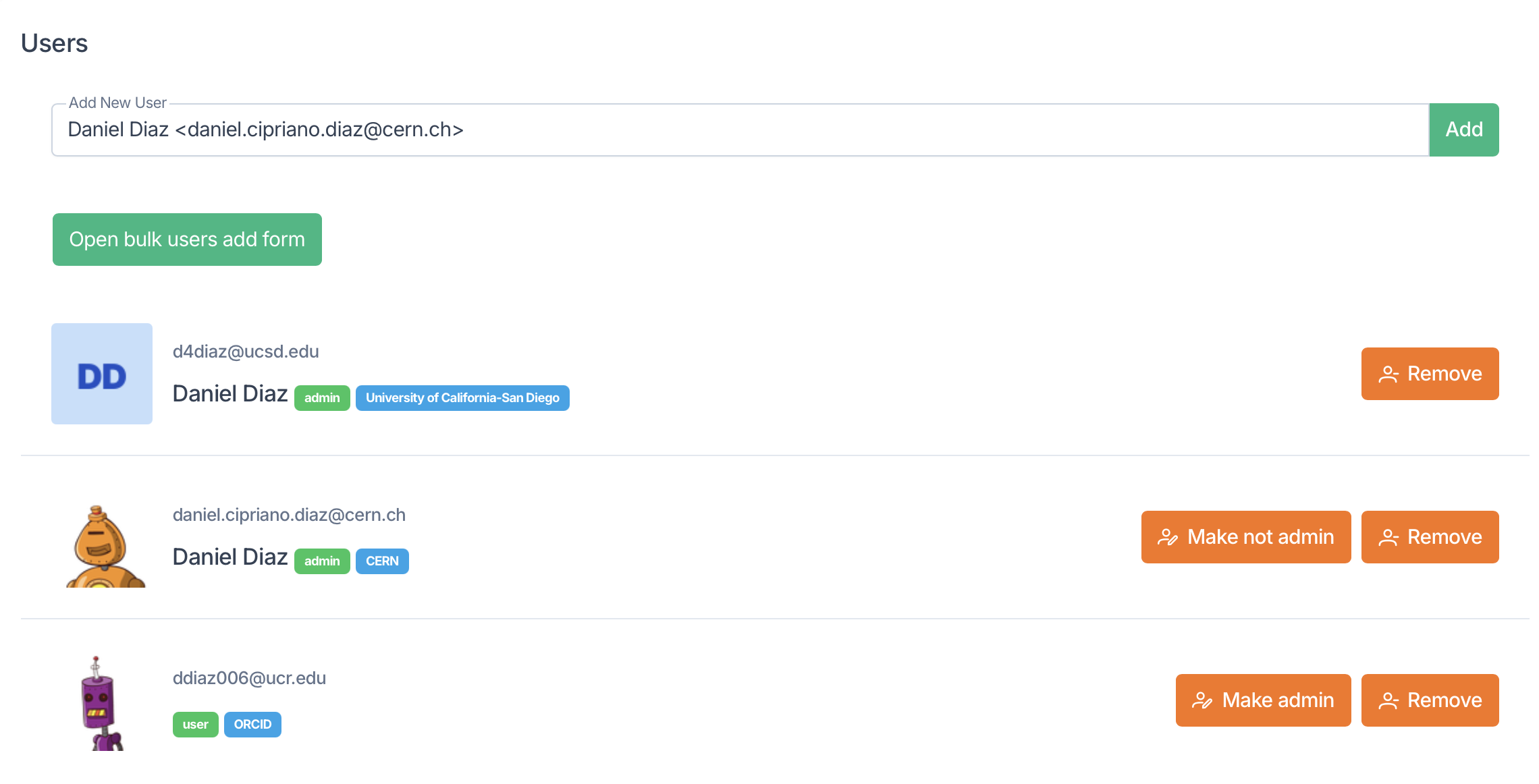
Under the Add New User field are a list of members in the namespace and their status as user of admin. Admins will see options to remove members as well as to Make admin or Make not admin. Note that you can only demote user who were promoted by you.
Subgroup Management
Beneath the Users section, you will find the section to Create subgroup, assign Group tenants, and to Delete the group.
When creating a subgroup, you have the option to create a kubernetes namespace (K8s Namespace), a LLM Group, a Milvus database, a combination of these, or a group (by leaving all options de-selected).
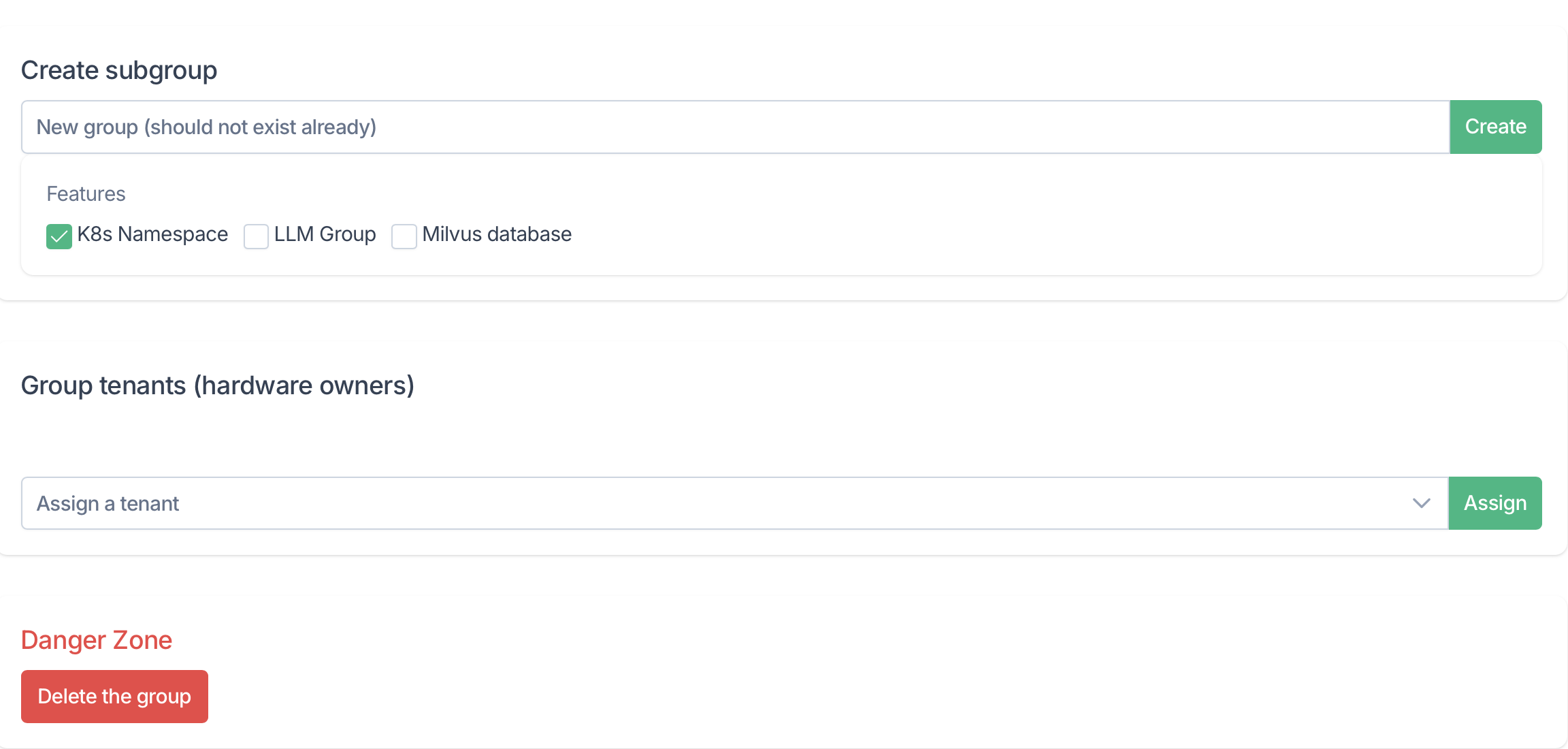
If your namespace belongs to a group which has hardware on NRP, you can assign a label to your namespace using the Group tenants selector box.
If you need to delete your namespace for any reason, you can do so using the Delete the group button at the bottom of the page.
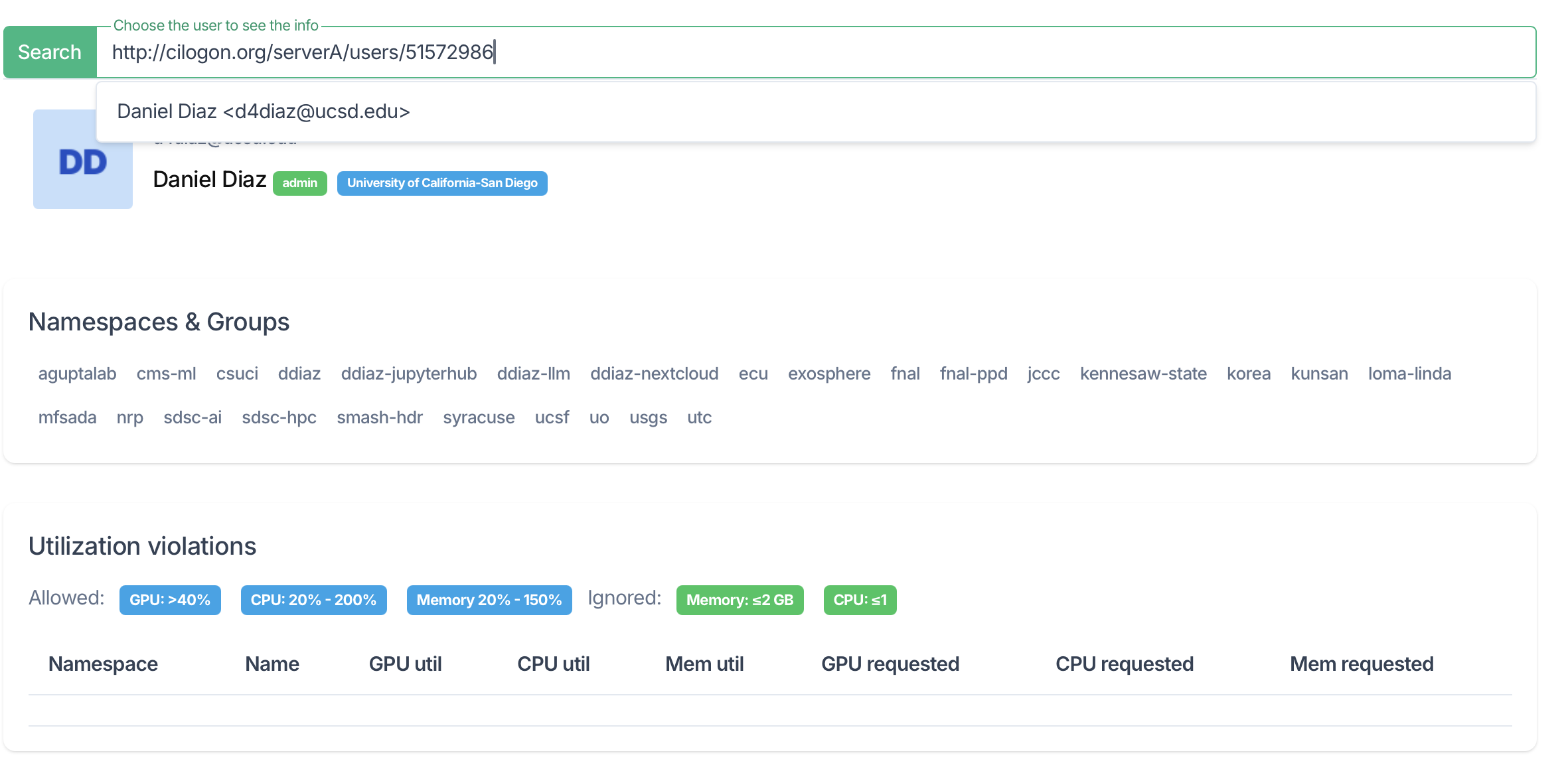
What are my responsibilities as admin?
An admin’s chief responsibility is to ensure that the namespace and its users adhere to cluster policies.
-
New users must be registered with NRP by first logging into https://nrp.ai and accepting the AUP before they can be added to a namespace. ↩
The NRP User Portal
Overview
Teaching: min
Exercises: minQuestions
Basic Kubernetes?
Objectives
The NRP User portal
The NRP portal can be accessed from nrp.ai.
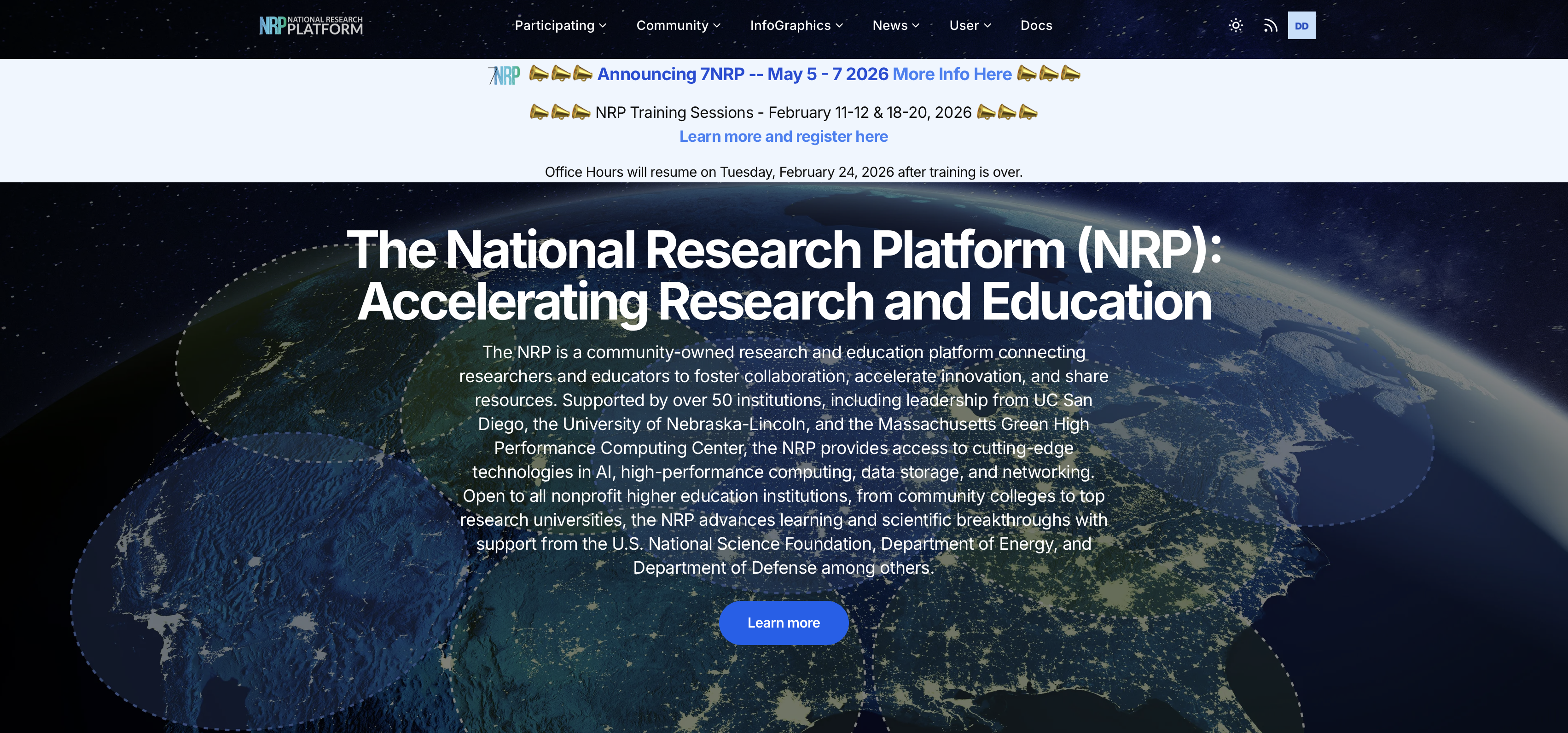
This is often your first stop when interacting with NRP.
The portal homepage is used to announce NRP events such as our annual meetings and out bi-weekly office hours.
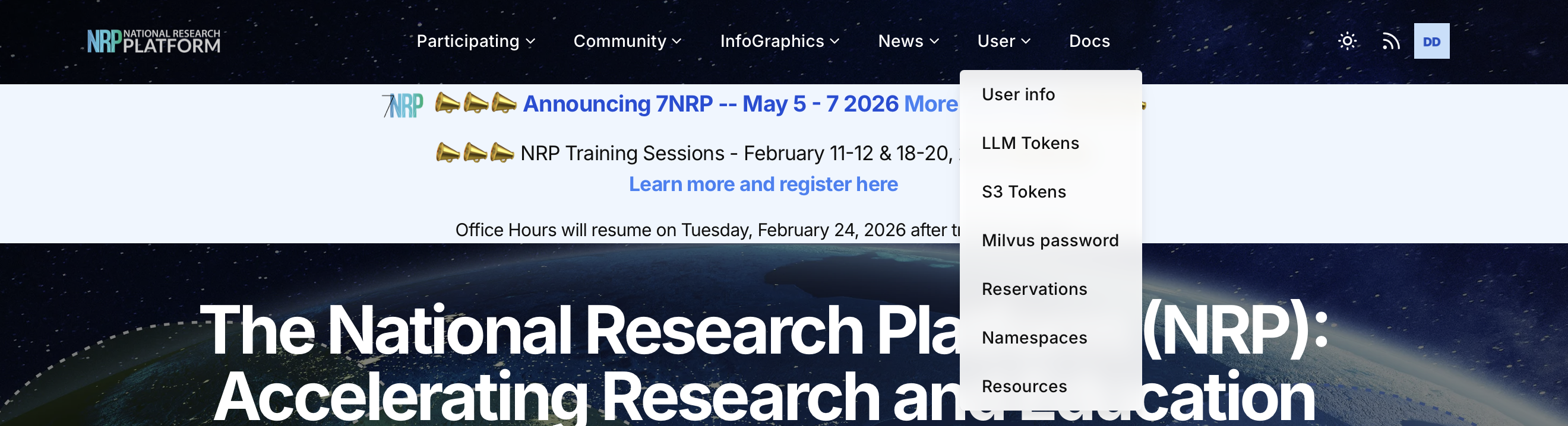
Additionally, the portal contains links to many important pages and webtools that you can make use of as a user of the cluster.
Resource Availability
Resources available on NRP include:
- CPU (> 31000 cores)
- GPU (> 1400)
- FPGA
Resources are distributed across site known as computing nodes.
The following dashboard https://nrp.ai/viz/resources/ displays details about current status of all NRP resources.
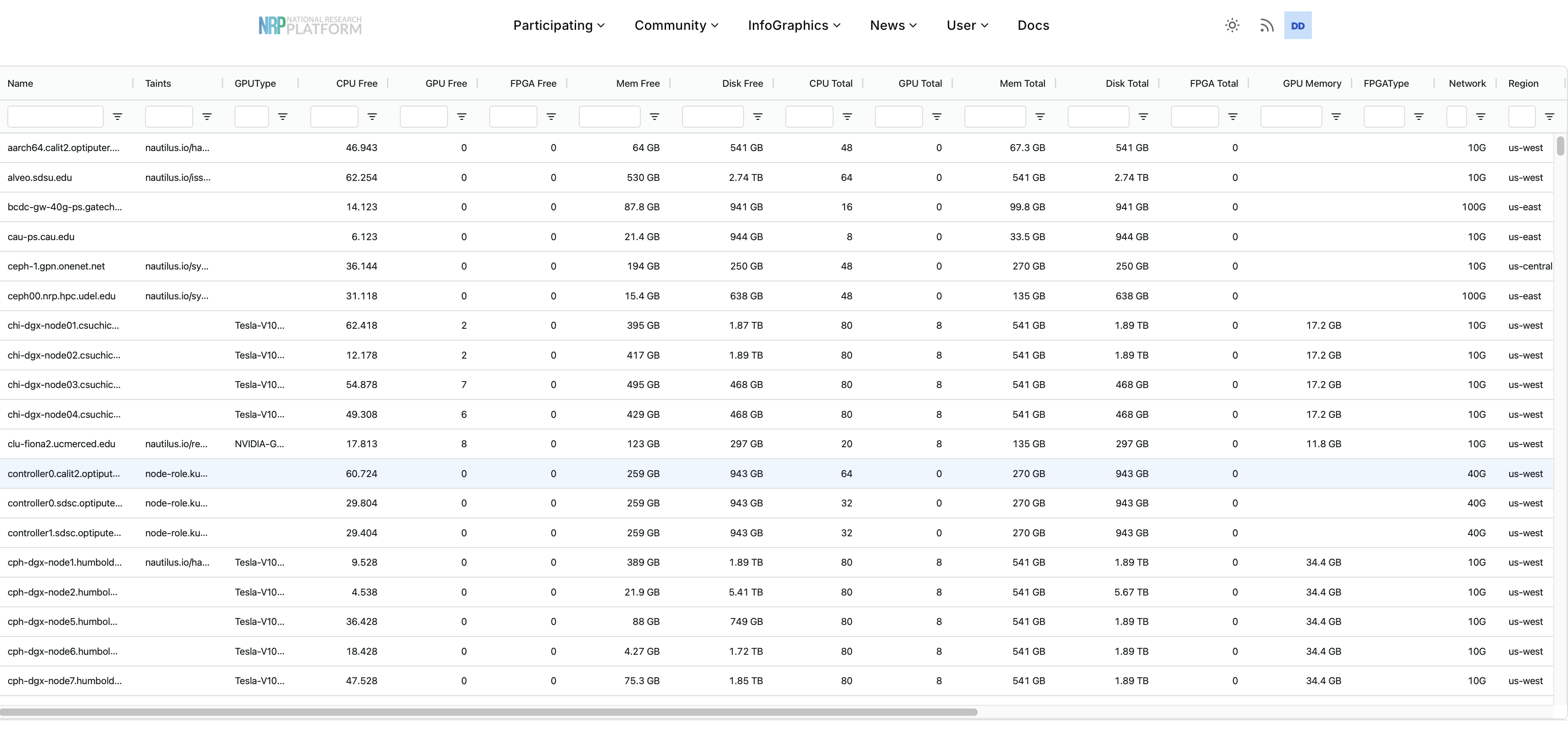
Notice the taint column!
Taints are labels added to nodes. Taints can be used to indicate a node is reserved for a special purpose or that a node may be marked for maintennance. Pods will not land on tainted nodes unless granted special permissions.
Reservations
Kubernetes uses a constraint- and priority-based scheduler: Pods are scheduled when a node can satisfy their requirements, rather than being served strictly first-in-first-out.
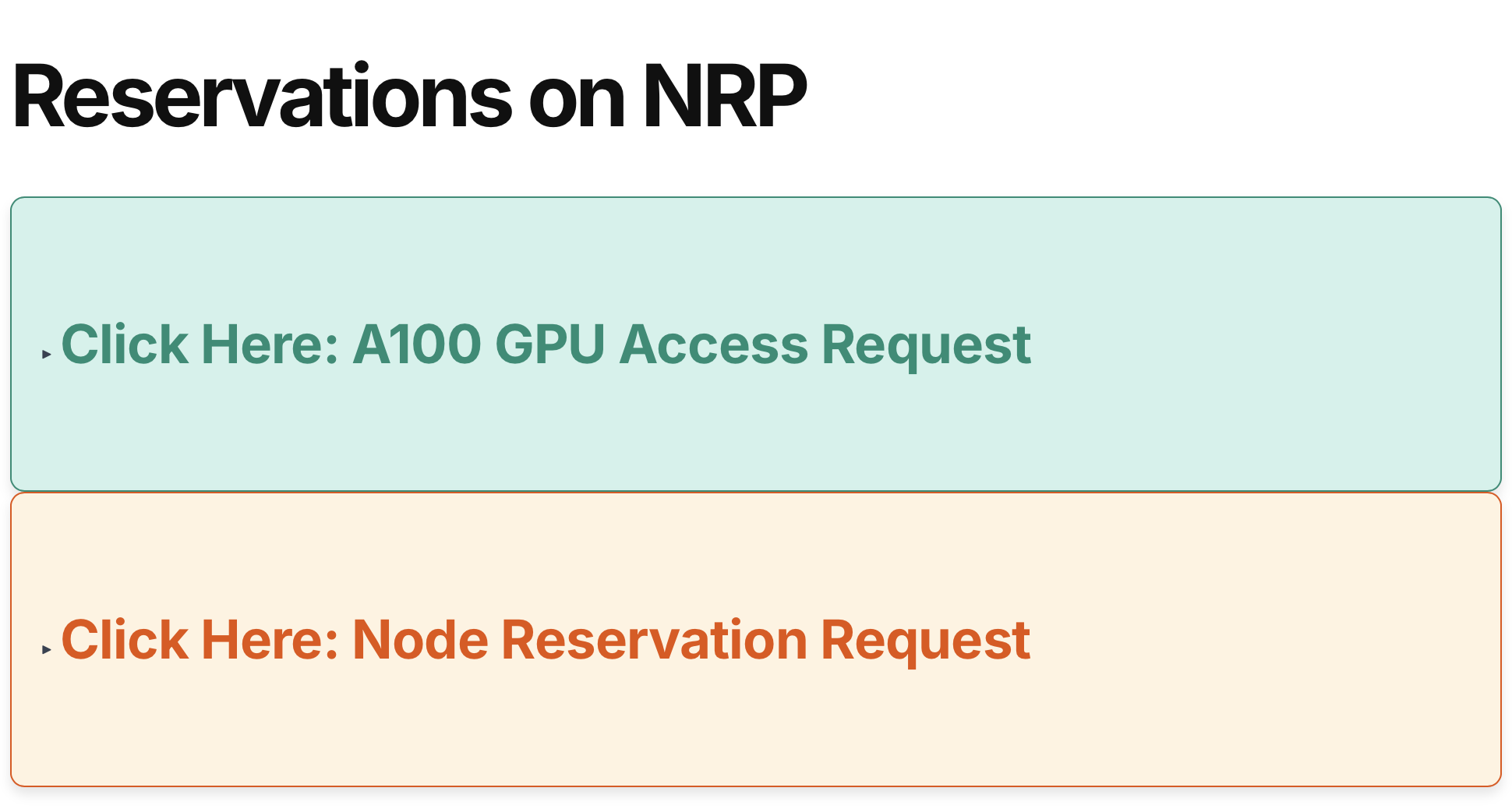
Sometimes you may need special or exclusive access to resources. In such cases, you should fill out a reservation request.
There are two types of reservation requests that you can make at NRP; a request for exclusive access to a particular node or a request for access to A100 GPUs.
The request form can be found at https://nrp.ai/reservations/.
Request Early
Submit requests well ahead of time to guarantee access. NRP admins try to check reservations regularly, but must still review each reservation before providing access.
Include All Information
Please fill out either of these forms completely including any details to help us decide whether or not we can grant the request
A100 Access Requests
A100 GPUs are a special resource on NRP. To ensure that they are used responsibly, users are required to submit an access request form prior to gaining access to these GPUs.
Please note that approval grants the namespace the ability to request X amount of A100 GPUs, but it does not gurantee access; pods are still scheduled according to the availability of the resource.
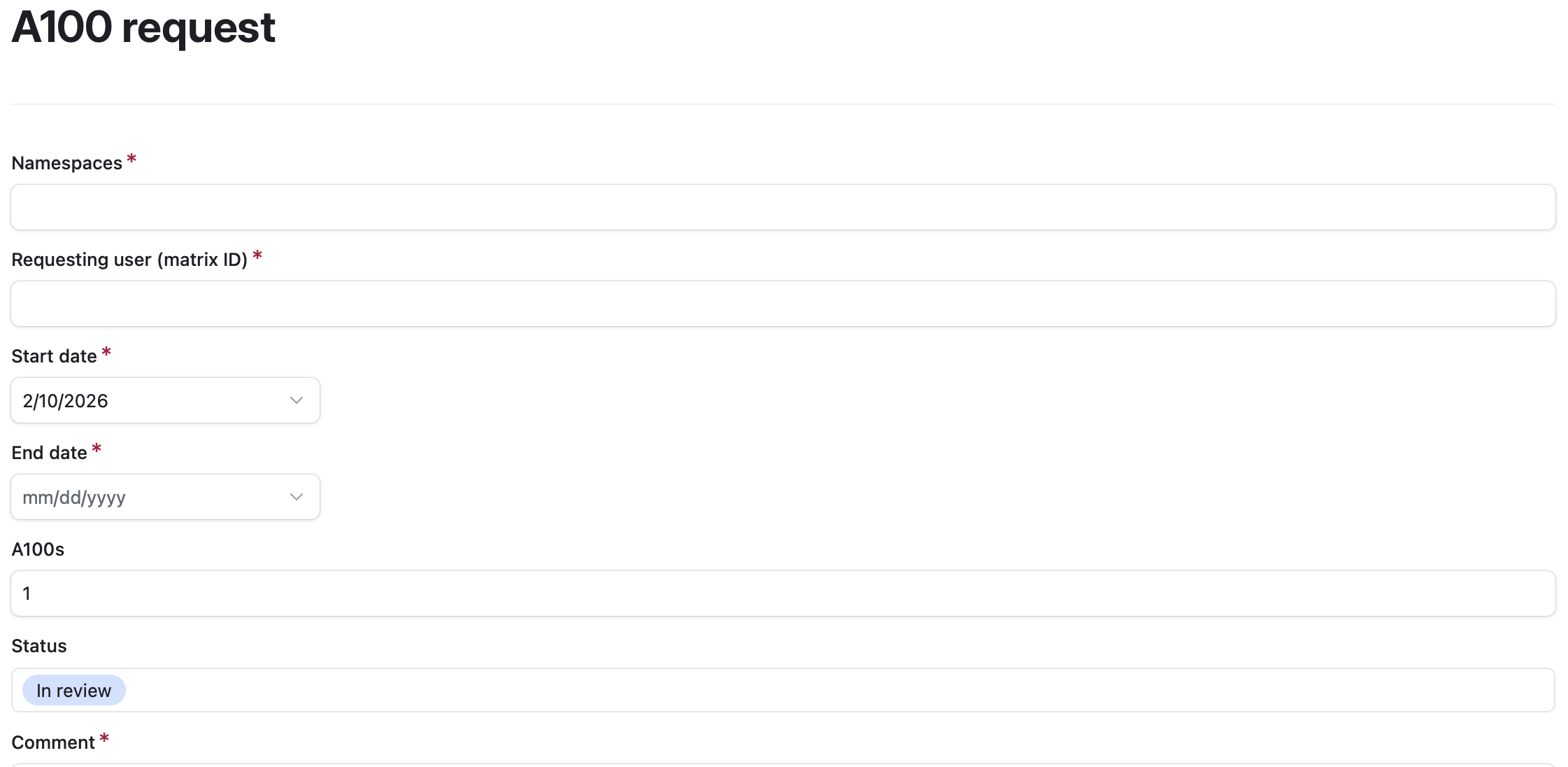 The A100 form us show above.
It includes a comment section where you can fill in details about your specific plans to use the A100 GPUs.
Importantly, we need your namespace name so we can grant access to your group and we need your matrix ID (found by clicking your profile picture in matrix chat).
We try to notify requesters when we approve their request.
The A100 form us show above.
It includes a comment section where you can fill in details about your specific plans to use the A100 GPUs.
Importantly, we need your namespace name so we can grant access to your group and we need your matrix ID (found by clicking your profile picture in matrix chat).
We try to notify requesters when we approve their request.
Node Reservation Requests
Node reservations are also possible, however these are granted only for specific reasons. We do not grant node reservations for single users/groups trying to make a deadline. Some reasons to request a node reservation include:
- Hardware owner prioritization: If you have donated hardware to nautilus, this hardware is provided to the whole cluster for general use, however owners can request we reserve their nodes for exclusive access for some period of time.
- Special events: If you are planning a hackathon or other special event which requires continuous access to specific nodes for a short period of time and the request is reasonable, we can reserve some nodes for the event.
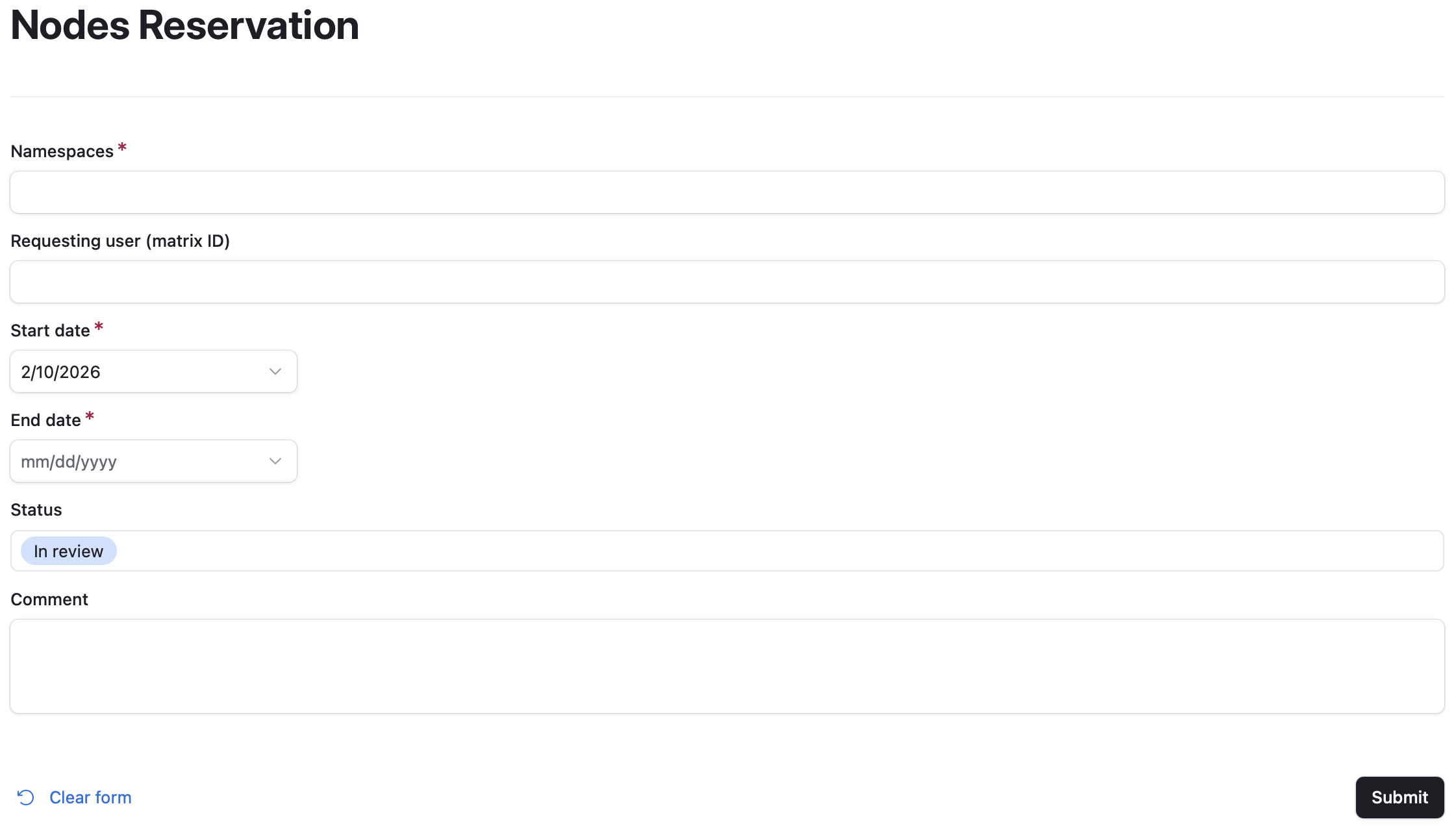
Please include in the comments what types of resources (e.g., number of GPUs/CPUs/memory etc.) you need or, if known, which nodes you would like to reserve.
Tokens
Some services first require registration for a token. These services include:
-
Tokens for LLM access https://nrp.ai/llmtoken/
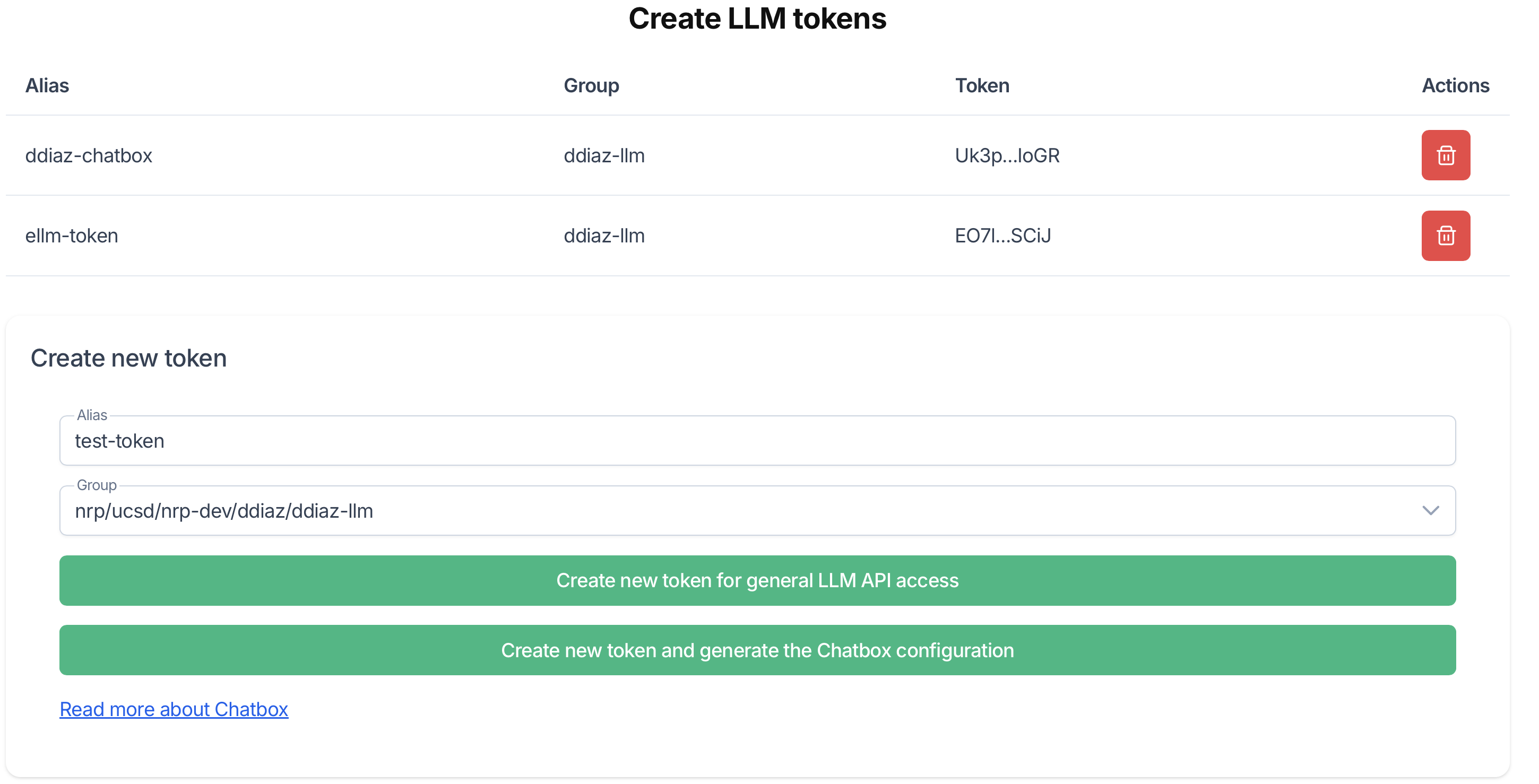 Please provide an alias for the token and select a namespace which is enabled for LLM access.
A dialogue box will pop up with your token.
Save your token somewhere safe. It will not be visible again once you close the dialogue box.
You may also optionally generate a Chatbox configuration to use with chatboxai.
Please provide an alias for the token and select a namespace which is enabled for LLM access.
A dialogue box will pop up with your token.
Save your token somewhere safe. It will not be visible again once you close the dialogue box.
You may also optionally generate a Chatbox configuration to use with chatboxai. - S3 storage access https://nrp.ai/s3token/
 In order to use the S3 storage option at NRP, you will need to generate some keys.
This page will allow you to recieve a message with S3 keys sent to the email address registered with your NRP account.
In order to use the S3 storage option at NRP, you will need to generate some keys.
This page will allow you to recieve a message with S3 keys sent to the email address registered with your NRP account. - Milvus Credentials https://nrp.ai/milvus/
 This page will allow you to recieve a message with a Milvus password sent to the email address registered with your NRP account.
Intro to Kubernetes and Docker
Overview
Teaching: min
Exercises: minQuestions
Objectives
Requirements
This section will contain some hands-on activities that will require that you have completed the Setup page.
Docker and Kubernetes?
Docker is a platform for building, packaging, and running applications in containers.
- Containers are lightweight, portable, and consistent environments.
- They include everything your app needs: code, libraries, and dependencies.
- Docker makes it easy to run the same app on your laptop, a server, or in the cloud.
Why Docker matters for Kubernetes:
- Kubernetes doesn’t build containers, it runs them.
- Docker (or other container runtimes) provides the container images that Kubernetes manages.
- Pod → The smallest deployable unit in Kubernetes, which wraps one or more containers.
Docker Registry
- A repository for storing and sharing Docker images.
- Public example: Docker Hub (hub.docker.com)
- Private registries are possible for internal use.
- NRP’s GitLab: provides public/private registry based on repo’s settings. (If you have a local docker image, can push to gitlab, or build in gitlab)
Where should I ask for help?
The primary option for support is via our Matrix chat.