Namespace and User Management
Overview
Teaching: min
Exercises: minQuestions
How do I get started with NRP?
Basic Kubernetes?
Objectives
The Namespace portal
Within a kubernetes cluster, users are organized into groups called namespaces.
Within a namespace, members are oganized as either namespace users or namespace admins.
Admins are responsible for managing the and monitoring the namespace.
NRP provides a web portal for easy namespace management.
You can view all NRP namespace at https://nrp.ai/viz/namespaces/
The namespace portal allows namespace admins to:
- create new namespaces
- add or promote/demote users1 to their namespace
- delete their namespace.
You will see in https://nrp.ai/viz/namespaces/, that the namespace portal organizes NRP groups and namespace into one large tree, with the nrp group as the root. This is mostly for human readability purposes. The general grouping is as follows:
nrp  (root)
└── campus / organization
    └── PI group
        └── sub-projects
One important concept to keep in mind is that there is no such nesting for kubernetes, so it is important to make your namespace names unique.
What namespaces do I belong to?
When you log on and view the namespace portal, you will not see the full namespace tree as you did when viewing https://nrp.ai/viz/namespaces/. Instead, you will see your personal tree, showing all namespace you belong to and which groups they are a part of.
 You will notice some color-coding as well.
- Red denotes a group (organizational only, no kubernetes access)
- Blue denotes a kubernetes namespace
- Yellow denotes a group which has access to NRP’s LLMs
- Green denotes a kubernetes namespace that has access to NRP’s LLMs
Namespace Management
Prior to launching pods in your namespace, you must fill out some details on the portal. These include:
PInameGrantsrelevant to the projectDescriptionof the namespace- What
Institutionthe namespace is associated with - What
Softwarewill be used in the namespace - What
Publicationswere made using NRP resources within the namespace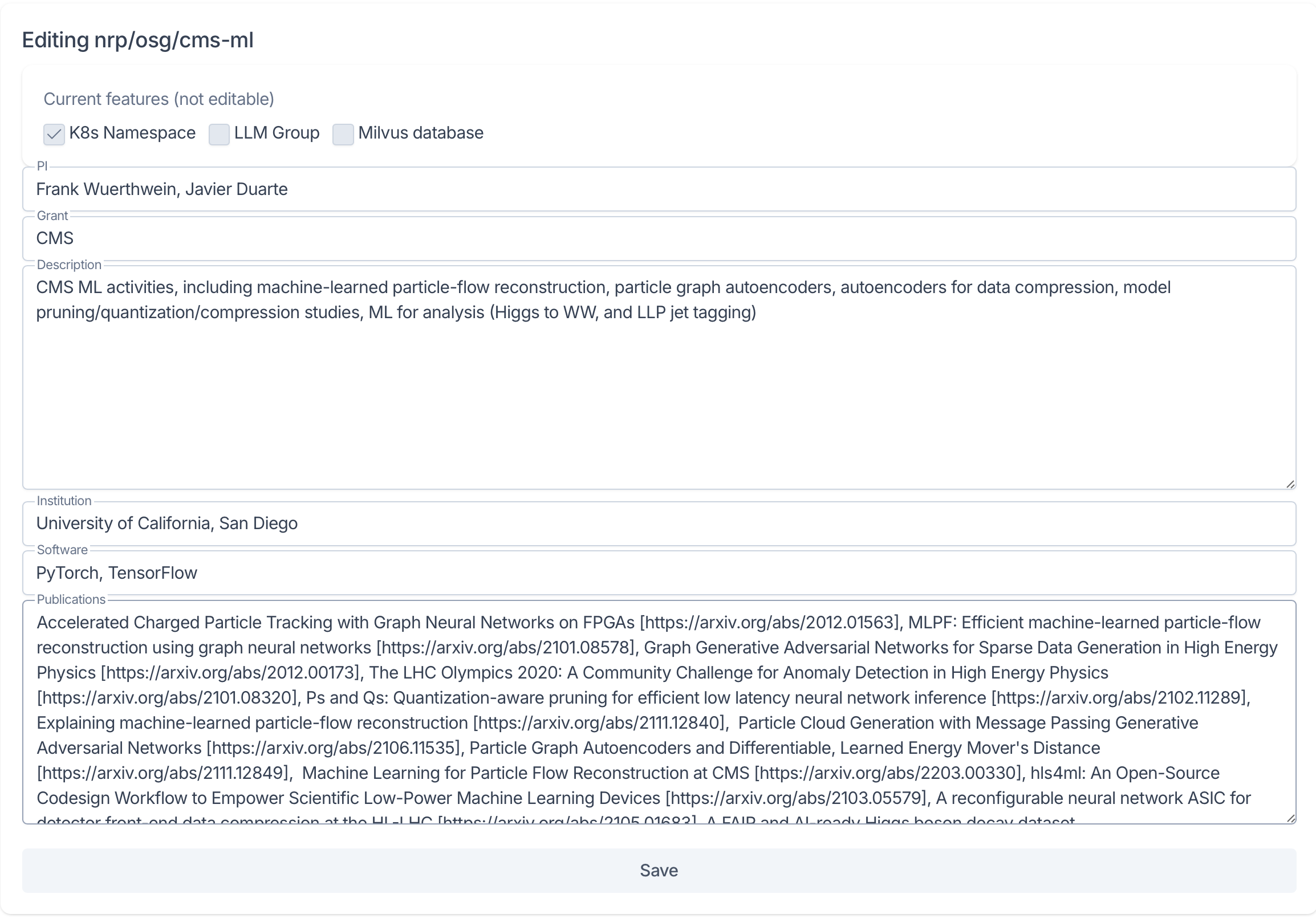 If any of these details are not yet decided, it is ok to use “N/A” or “Pending” for now, but please update these details as they change.
Managing Users
Namespace admins have the ability to both add and remove user from the namespace as well as to promote and demote users.
Under the Users section of the namespace portal, admin members can add new members by searching for users by name or email in the Add New User field.
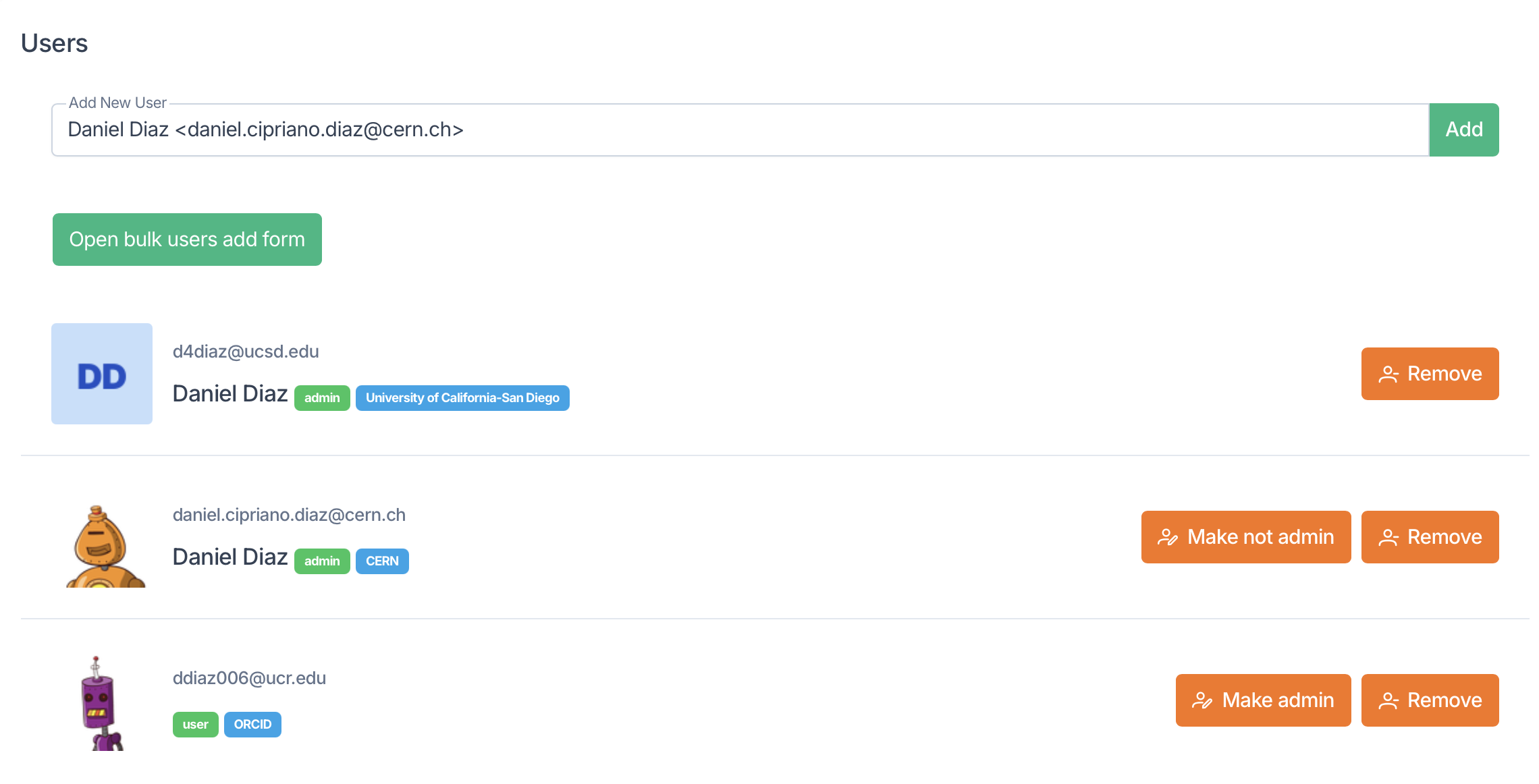
Under the Add New User field are a list of members in the namespace and their status as user of admin. Admins will see options to remove members as well as to Make admin or Make not admin. Note that you can only demote user who were promoted by you.
Subgroup Management
Beneath the Users section, you will find the section to Create subgroup, assign Group tenants, and to Delete the group.
When creating a subgroup, you have the option to create a kubernetes namespace (K8s Namespace), a LLM Group, a Milvus database, a combination of these, or a group (by leaving all options de-selected).
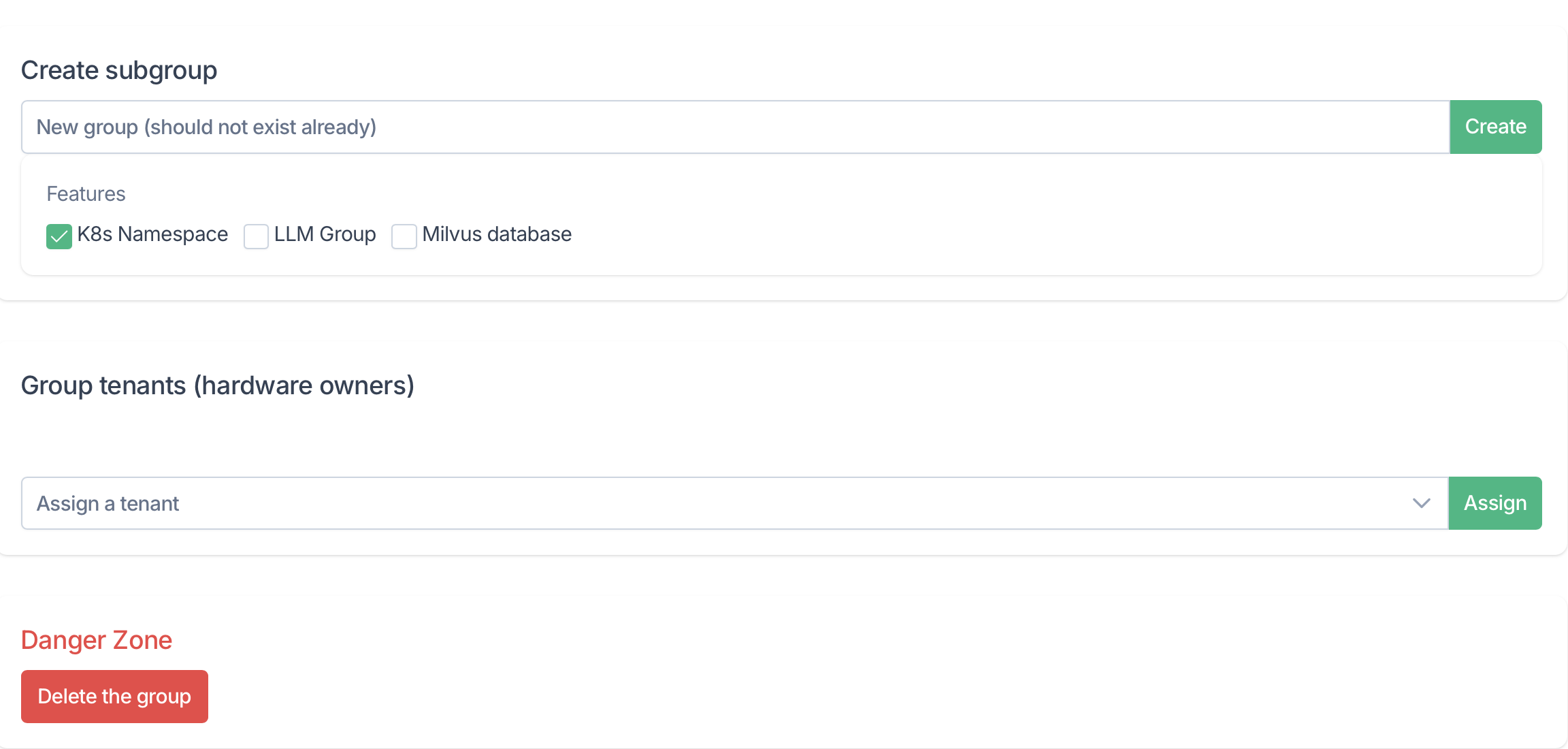
If your namespace belongs to a group which has hardware on NRP, you can assign a label to your namespace using the Group tenants selector box.
If you need to delete your namespace for any reason, you can do so using the Delete the group button at the bottom of the page.
What are my responsibilities as admin?
An admin’s chief responsibility is to ensure that the namespace and its users adhere to cluster policies.
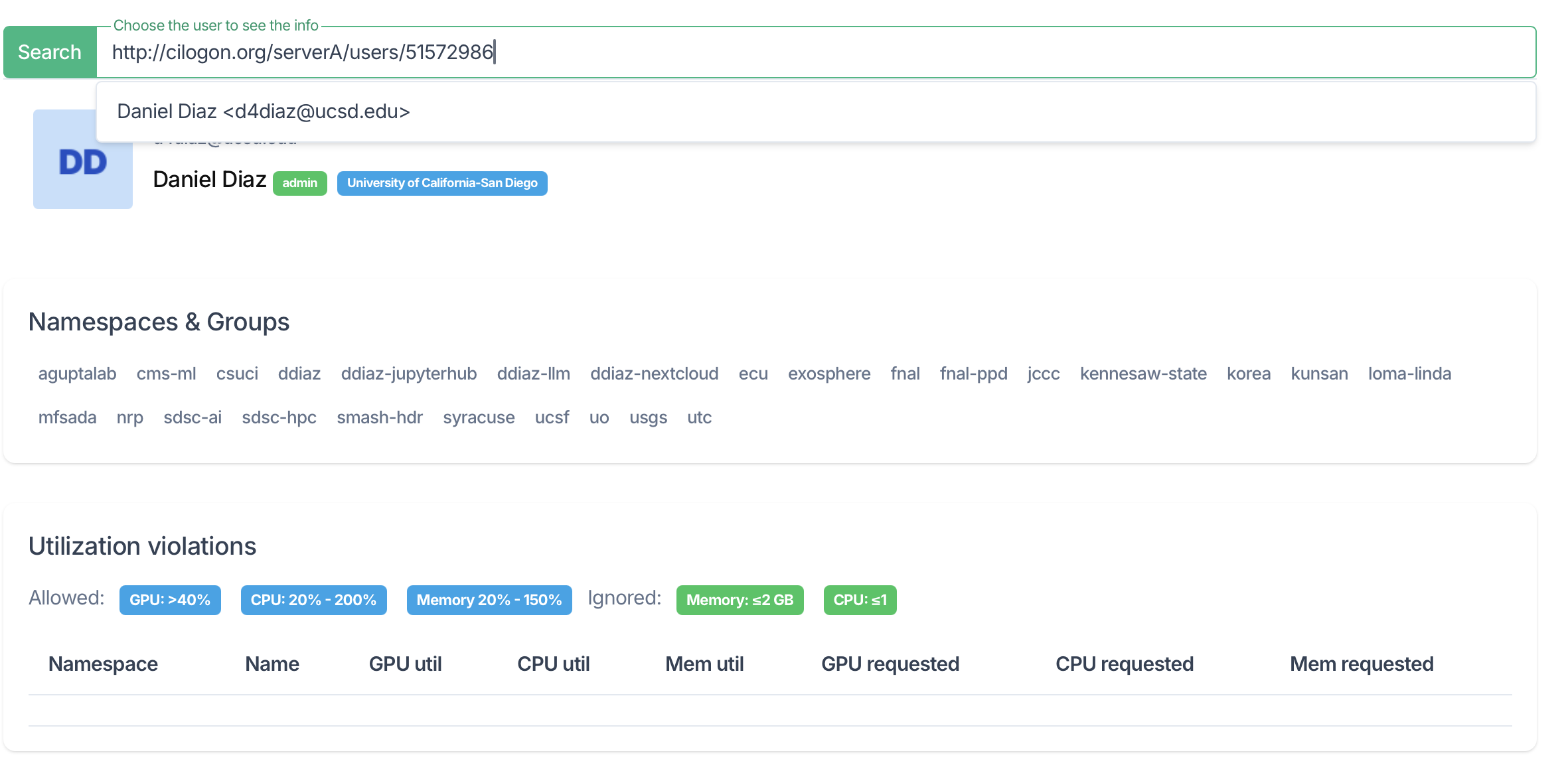
-
New users must be registered with NRP by first logging into https://nrp.ai and accepting the AUP before they can be added to a namespace. ↩